
Power & Charging
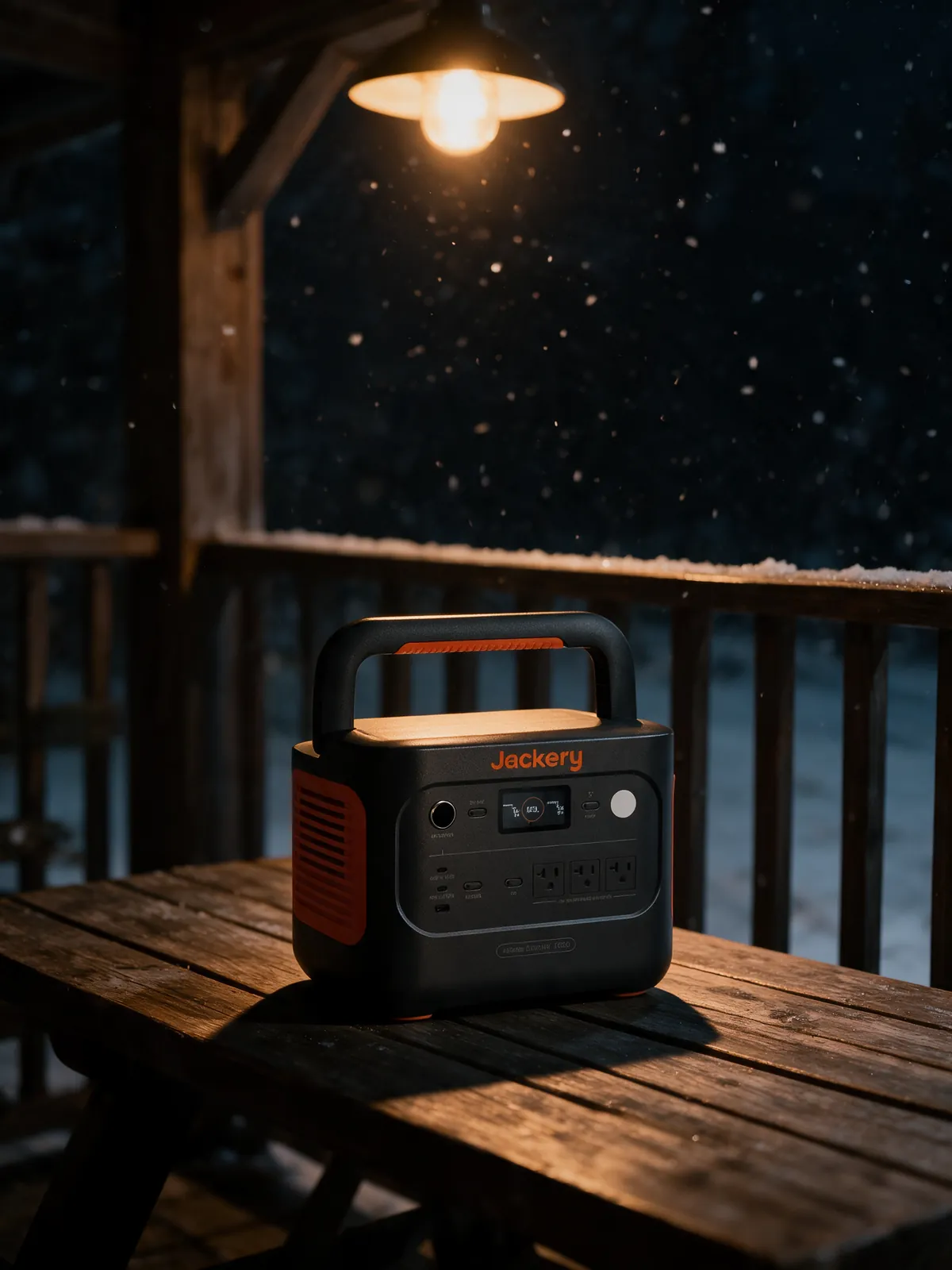
Jackery Explorer 1000 v2 Portable Power Station
$449-799
1070Wh LiFePO4 portable power station with 1500W AC output.
Affiliate linkTwo 1kWh LiFePO4 stations at roughly the same money, and their capacities are 8% apart - close enough to ignore. The real gap is 11.5 pounds and 300 watts of inverter. Which of those matters to you settles the whole thing in about a minute.
Buy the Jackery Explorer 1000 v2 if the unit ever has to be carried: Jackery lists it at 23.8 lb against BLUETTI's 35.27 lb for the AC180. Buy the AC180 if it lives in one place - 1,152Wh, an 1,800W inverter and a fourth AC outlet beat the Jackery's 1,070Wh and 1,500W. Weight decides this, not capacity.
Disclosure · As an Amazon Associate, BlackBox Supplies earns from qualifying purchases — at no extra cost to you. See our full disclosure.
Search either of these units and the first thing every comparison page puts in front of you is capacity. Jackery's specification table lists the Explorer 1000 v2 at 30.4Ah/35.2V DC, which it states as 1,070Wh. BLUETTI's specification table lists the AC180 at 1,152Wh. That is a difference of 82 watt-hours, or about 7.7%.
Seven percent is not a decision. In practice it is roughly one extra laptop charge, or about half an hour of a running refrigerator's compressor duty, or a rounding error against the 15-20% our own refrigerator sizing guide tells you to add back for inverter inefficiency and standby draw anyway. Nobody has ever been saved by 82 watt-hours. If capacity is the axis you are comparing these two on, you are comparing them on the one specification where they are effectively the same product.
The two figures that genuinely separate them are weight and continuous inverter output, and they point in opposite directions. Jackery's table gives the Explorer 1000 v2 as around 23.8 lb (10.8 kg) with a 1,500W rated inverter. BLUETTI's table gives the AC180 as about 16 kg / 35.27 lb with an 1,800W inverter. So the AC180 is 48% heavier and 20% stronger. Everything else in this comparison is detail hanging off that one trade.
It is worth understanding why the specification sheets are shaped this way, because it is not an accident and it tells you what each company thought it was building. Watt-hours answer the question 'for how long'. Watts answer the question 'what at all'. They are independent, and a buyer who only reads one of them will buy the wrong box. A 1,070Wh battery behind a 300W inverter cannot run a microwave for one second, no matter how much energy is sitting in the cells. A 200Wh battery behind a 2,000W inverter can run that microwave beautifully - for about six minutes, and rather less than that once conversion losses are taken off. Capacity is the fuel tank. Inverter rating is the size of the engine. These two units have near-identical fuel tanks and meaningfully different engines, wrapped in very different amounts of luggage.
The inverter is the part that turns the battery's DC into the 120V AC your appliances expect, and its continuous rating is a hard ceiling. Ask for more than it can deliver and it does not slow down or brown out; it shuts the outlets off and beeps at you. That is the number to shop.
Jackery's table lists 'AC Total Output: 1500W Rated, 3000W Surge peak', across three 120V 60Hz outlets. BLUETTI's table lists '4 x 120V/15A, 1800W In Total', with 'Surge Power: 2700W'. One difference in what they publish is worth a sentence, because it is a difference in disclosure rather than in hardware. BLUETTI states an inverter type outright - its table carries the row 'Inverter Type: Pure Sine Wave' - and that matters, because a modified-sine inverter can run motors hot and confuse anything with a switching power supply. Jackery's specification table for the Explorer 1000 v2 publishes no inverter-type line at all. We are not going to fill that gap with an assumption in either direction: if waveform is load-bearing for what you are plugging in - a compressor, a CPAP, anything with a motor - confirm it on the listing you are buying from.
The 300W gap between them is not abstract. It lands exactly on the most common household load class there is: resistive heating. Kettles, hair dryers, space heaters, toasters, coffee makers and microwaves all pull close to their nameplate rating continuously, for as long as they are on. A 1,500W space heater draws 1,500W the entire time - there is no easing off. That puts the Jackery precisely at its ceiling with zero margin, and leaves the AC180 300W of room. Anything above 1,500W nameplate is simply outside what the Jackery can do.
The microwave case is the one that catches people, and it is the trade nobody mentions on a comparison page. A microwave's advertised wattage is its cooking output, not its input. A '1,000W' microwave is drawing meaningfully more than 1,000W from the wall to produce 1,000W of microwave energy, because the magnetron and its transformer are not perfectly efficient. The number you need is on the appliance's own data plate, not its marketing. Read the plate before you assume either of these units runs your microwave.
Now the surge ratings, where the published record is genuinely contested and we would rather show you the disagreement than pick a side quietly. Jackery's own Tech Specs table on jackery.com states, verbatim: 'AC Total Output: 1500W Rated, 3000W Surge peak'. That is the manufacturer's figure and it is the only one this page uses. You will also find 3,300W printed on third-party comparison sites, in spec-scraper databases, and - to be straight about it - in an older entry in our own catalog, which we have now corrected. If a number about a product does not appear on the manufacturer's specification table, it should not be load-bearing in your decision, no matter how many sites repeat it. Spec-scraper sites copy each other, and a wrong figure entered once propagates for years.
BLUETTI's presentation of its own surge number has a wrinkle worth knowing too. The AC180's specification table files 2,700W under 'Surge Power'. BLUETTI's marketing copy on the same page describes the identical figure as '1,800W AC Output / 2,700W Power Lifting Mode'. BLUETTI's own footnote defines the scope narrowly: 'Power Lifting Mode allows AC180 to run high-power heating devices up to 2,700W, such as space heaters, hair dryers, electric kettles, electric blankets, etc.', and its FAQ adds the prohibition in capitals - 'Do NOT use this unit to run an air conditioner or washing machine.' Heating elements only, in other words: the mode works by running a resistive load below its intended voltage, which an element tolerates by simply heating more slowly and a motor or anything with electronics does not tolerate at all. Because the same 2,700W appears under both labels on BLUETTI's page, read the listing you are actually buying from before assuming the full 2,700W is available to a motor load. The number that governs your purchase either way is the 1,800W continuous.
And now the part that saves you time: surge headroom is close to irrelevant in this specific matchup. Surge exists for inrush current - the fraction of a second when a motor's rotor is stationary and it draws several times its running current before it spins up. Refrigerator compressors, pumps and power tools all do this. A standard top-freezer runs at roughly 100-200W once it is going, and our own refrigerator sizing guide puts its startup spike at 1,000-1,800W - inside both 2,700W and 3,000W with room to spare. Be honest about the top of the range, though: a big side-by-side can touch about 2,400W on start, which is comfortable against the Jackery's 3,000W and close enough to the AC180's 2,700W that it is the one case where the surge column is not pure theatre. For everything smaller than that, neither unit's surge rating is the reason to buy it, and a comparison page that leads with 3,000 versus 2,700 is selling you a difference that will never appear in your life.
One thing that is not irrelevant: what surge headroom does not cover. Neither of these will start a well pump, a central air compressor, or a corded table saw, and no amount of surge rating changes that, because those loads are also high continuously. The surge spec only ever buys you the first half-second.
| Load | What governs it | Jackery (1,500W rated) | BLUETTI (1,800W rated) |
|---|---|---|---|
| Phones, laptop, router, lights | Trivial - well under 200W | Comfortable | Comfortable |
| CPAP without heated humidifier | Low continuous draw | Comfortable | Comfortable |
| Full-size fridge, running | Compressor duty cycle, not peak | Comfortable | Comfortable |
| Full-size fridge, compressor start | Brief inrush, roughly 1,000-1,800W, then settles | Inside its 3,000W surge | Inside its 2,700W surge |
| Large side-by-side, compressor start | Can touch about 2,400W | Comfortable | Close to its 2,700W ceiling |
| 1,500W space heater | Continuous, at nameplate | At the ceiling, no margin | 300W of headroom |
| Kettle or hair dryer on high | Continuous, often 1,500W+ | Likely refuses | Marginal - check the plate |
| Microwave | Input draw exceeds its cooking rating | Check the data plate first | Check the data plate first |
| Table saw, air compressor, well pump | High startup and high continuous | No | No |
Jackery's table: around 23.8 lb (10.8 kg), 12.87 x 8.82 x 9.72 in. BLUETTI's table: about 16 kg / 35.27 lb, 13.39 x 9.72 x 12.48 in. That is 11.5 pounds, or 48% more mass, in a box that is also a couple of inches taller.
Note in passing that BLUETTI's own product page carries two different weights: the marketing copy says the AC180 'weighs only 37lbs / 17kg', while its specification table says 'About 16kg / 35.27lbs'. We use the specification table figure. That is a small thing but it is the sort of small thing worth flagging, because it tells you how much rounding lives in a marketing paragraph.
The reason both of these are heavy at all is the cell chemistry, and the chemistry is also the reason they are good. Both use LiFePO4 - lithium iron phosphate. Jackery rates the Explorer 1000 v2's cells at 4,000 cycles to 70%+ capacity; BLUETTI rates the AC180's at 3,500+ cycles to 80% original capacity. Those are enormous numbers next to the NMC lithium in most laptops and older power stations, and it is why both of these are ten-year purchases rather than three-year ones. The trade you accept for that cycle life is energy density: LiFePO4 stores less energy per kilogram than NMC, so a LiFePO4 kilowatt-hour is a physically heavier kilowatt-hour. Every modern station worth buying has made this trade, so it is not a differentiator between these two - but it is why neither one is light, and why nothing in this class ever will be.
What the extra 11.5 pounds on the AC180 buys, specifically, is not the 82 extra watt-hours - that alone would account for maybe a pound. It is the bigger inverter and its heatsinking, the fourth AC outlet and the extra internal wiring, the MPPT solar controller, the wireless charging pad, and a chassis built to carry all of it.
Here is the practical test, which is more useful than any number. 23.8 lb is a heavy carry-on. You can pick it up one-handed by the handle, walk it across a campsite, and swing it into a car boot without planning the movement. 35.27 lb is a bag of dog food. It is a two-hand, feet-planted, set-it-down-and-do-not-pick-it-up-again lift. If your unit ever has to go up a flight of stairs, into a tent pitch some distance from the car, onto a boat, or into a rooftop box, that difference will define your relationship with it more than any other specification on either page. People who buy the heavier unit for a mobile use case tend to leave it in the car.
The inverse is equally true and equally worth saying: if the box is going to sit under a desk, in a closet next to the router, or in one corner of a garage and be plugged in more or less permanently, its weight is a number you will experience exactly once, on the day you unbox it. In that scenario you should stop caring about weight completely and take the extra capacity, the extra outlet and the stronger inverter.
| Jackery Explorer 1000 v2 | BLUETTI AC180 | |
|---|---|---|
| Capacity | 1,070Wh (30.4Ah / 35.2V DC) | 1,152Wh |
| Cell chemistry | LiFePO4 | LiFePO4 (Lithium Iron Phosphate) |
| Rated cycle life | 4,000 cycles to 70%+ capacity | 3,500+ cycles to 80% original capacity |
| Inverter, continuous | 1,500W rated | 1,800W total, pure sine wave |
| Surge / peak | 3,000W surge peak | 2,700W (filed as Surge Power; marketed as Power Lifting Mode) |
| AC outlets | 3 x 120V ~ 60Hz | 4 x 120V/15A |
| USB-C | One 100W max, one 30W max | One 100W max |
| USB-A | 18W max | Four ports, 15W total per pair |
| 12V car port | 12V / 10A | 12V / 10A, regulated |
| Wireless charging pad | None | One, 15W max |
| Weight | Around 23.8 lb (10.8 kg) | About 35.27 lb (16 kg) |
| Dimensions | 12.87 x 8.82 x 9.72 in | 13.39 x 9.72 x 12.48 in |
| Wall recharge | 1.58 hours via AC adapter | About 1.3-1.8 hours at 1,440W turbo |
| Max solar input | 400W (2x DC8mm, 21A max combined) | 500W max, VOC 12-60VDC, 10A |
| Pass-through / bypass | Bypass Mode AC in/out, 100-120V, 1,500W | Pass-through charging: yes |
| Warranty | 3+2 years | 5 years |
| Our catalog price band | $449-799 | $399-699 |
Both companies lead with a fast-charge claim, and in both cases their own specification table gives a slower figure a few inches further down the page. Neither is lying. It is worth understanding the gap because it is the same trick in both directions and it will stop you from over-weighting a marketing number.
Jackery's product page advertises 'Emergency Super Charge 0-100% in 1 Hour'. Jackery's specification table lists AC Adapter charging time as 1.58 hours. Both figures are Jackery's; the page names the one-hour figure as an Emergency Super Charge but does not publish what invoking it involves, and 1.58 hours is the plain AC Adapter line. BLUETTI advertises '0-80% Recharging in 45Mins with 1,440W AC Input' and its specification table lists roughly 1.3-1.8 hours for a full turbo charge at that same 1,440W input. Also consistent: 80% is not 100%, and the last 20% of a lithium charge is always the slow part, because charge current has to taper as cell voltage rises or you damage the cells.
BLUETTI is the one that shows its working here, and its own FAQ is the clearest thing either company publishes on the subject: the AC180 has three AC charging modes - Silent at 260W, taking about 4.9 hours; Standard at around 1,000W, about 1.7 hours; and Turbo at around 1,440W, the 1.3-1.8 hours in the table - and the fast one is a mode you turn on in the BLUETTI app rather than the default. BLUETTI also notes the silent mode runs at 45dB, which is the kind of number that matters if the thing charges overnight in a bedroom. The honest read on this whole category of claim is that both of these units go from empty to full on a wall outlet in roughly an hour and a half, both can do better in a hurry if you ask, and charge speed is not a reason to pick one over the other.
Solar is a real difference, and it is the one place the AC180's extra bulk pays a second dividend. BLUETTI's table gives a 500W maximum solar input (VOC 12-60VDC, 10A) through an MPPT controller. Jackery's table gives two DC8mm ports rated to a combined 21A / 400W maximum. That 100W gap sounds small and compounds badly in practice, because solar input is what determines whether you finish a day ahead or behind - and the AC180 also has more capacity to refill. If you intend to live off panels rather than plug into a wall every couple of days, the AC180 is the better base, and both units' solar panels are separate purchases you should budget for. Working out how many panels you actually need is its own arithmetic, and we have done it separately.
One thing neither company puts in its marketing, and both put in the spec table, is that cold hurts. Jackery publishes a charge temperature range of 32-113F (0-45C) and a discharge range of 14-113F (-10-45C) for the Explorer 1000 v2. BLUETTI publishes the same asymmetry more tightly for the AC180: charging 32-104F (0-40C), discharging -4 to 104F (-20-40C). The asymmetry is the important part. A LiFePO4 pack will happily give you power in freezing conditions but will refuse to accept a charge below freezing, because plating lithium onto a cold anode destroys the cell. If either of these is going to live in an unheated garage or a winter vehicle, that is the specification to plan around.
Port count is where comparison pages love to run up a score, and almost all of it is noise. The AC180 has more total ports than the Explorer 1000 v2 - four USB-A to the Jackery's USB-A provision, and a 15W wireless charging pad the Jackery does not have at all - and none of that is likely to change your life, because USB-A at 15-18W is a slow trickle for a phone in 2026 and a wireless pad is a nicety.
The number that runs out in real use is AC outlets. BLUETTI's table lists four 120V/15A outlets. Jackery's lists three 120V 60Hz outlets. Every appliance with a wall wart wants one of these, and the fourth outlet is the difference between plugging in a fridge, a router, a lamp and a laptop charger without thinking about it, and playing musical chairs at the third one. Yes, you can hang a power strip off an outlet - and you should, for small loads - but the strip does not raise the inverter ceiling. You are still bounded by 1,500W or 1,800W total no matter how many sockets you split it across. BLUETTI puts it plainly in its own FAQ: 'Calculate the total wattage of your devices. AC180 should work if the load does not exceed its rated 1,800W.' The outlet count buys you convenience, not capability.
On USB-C there is a genuine catch on the Jackery side that we want to be precise about, because our own catalog got it wrong. Jackery's marketing copy describes 'Dual 100W USB-C', which reads as two 100W ports. Jackery's specification table lists the USB-C output as '(1x) 30W Max' and '(1x) 100W Max'. One port at 100W, one at 30W. If your plan is to fast-charge two USB-C laptops at once, that matters, and the specification table is the authority. BLUETTI's table lists a single 100W USB-C port on the AC180, so on this axis the Jackery is still ahead - just not by as much as its own marketing suggests.
Both units give you one regulated 12V/10A car socket, which is the same 120W ceiling on each, and it is the port that runs a 12V cooler or a tyre inflator. Neither of them can jump-start a car through that port and neither claims to - that is a different machine entirely, built around dumping hundreds of amps for two seconds rather than delivering steady watts for hours.
$449-799
1070Wh LiFePO4 portable power station with 1500W AC output.
Affiliate link
$399-699
1152Wh LiFePO4 portable power station with an 1800W inverter and UPS backup.
Affiliate linkA large share of people typing this comparison are not going camping. They want something that keeps the fridge, the router and their phones alive through an outage, and they want to know which of these two is better at it.
Both are built around the same architecture for that job, though they document it very differently. Jackery's table lists 'Bypass Mode AC Input/Output: 100-120V~ 60Hz, 1500W', which means grid power passes through the unit to its outlets while the battery charges. BLUETTI publishes exactly one line about it - 'Pass-through Charging: Yes' - and nothing else: no UPS mode, no transfer time, no wattage for the pass-through path. In both cases the behaviour is the same in principle: you plug the box into the wall, plug your gear into the box, and when the grid drops the inverter picks up the load after a brief transfer gap.
That architecture is a standby - sometimes called offline - UPS, not an online double-conversion one. The practical meaning: there is a real, short interruption at the moment of transfer. A desktop PC, a router, a modem, an aquarium pump and essentially all consumer electronics with a switching power supply have enough internal ride-through to sail past it without noticing. Something with no ride-through tolerance at all may still blink.
Here we have to be straight about a limit in the published record, because it is the single weakest claim in this whole comparison and it is one we were repeating ourselves. Our catalog carries a 20ms UPS switchover figure for the AC180 and that figure appears widely across the internet, but BLUETTI's own product page for the AC180 on bluettipower.com does not contain it - it does not contain the word 'UPS' anywhere, nor a switchover time, nor a transfer time, in the specification table or the marketing copy or the FAQ. Jackery does not publish one for bypass mode either. We are not going to certify a millisecond figure we cannot source to the manufacturer. If switchover timing is specifically why you are buying - if you are protecting something genuinely intolerant of a gap - get that number confirmed on the listing you are buying from, or buy a purpose-built UPS, which is a different and cheaper product for that one job.
The bigger honest limit applies to both units equally and is the thing most outage buyers have not thought through. Neither of these wires into your electrical panel. You plug devices into the box; you do not plug the box into your house. That means it backs up a desk, a router, a fridge reached by an extension cord, a CPAP, a few lamps and everyone's phones. It does not back up your house, your furnace's blower, your well pump, your water heater or central air, and no accessory makes it do so. Judged as what it actually is - a very good extension cord with a battery in it - either unit is excellent. Judged as a generator replacement, both will disappoint you, and the disappointment is not the product's fault.
Between the two for this specific job, the AC180 is the better fit and it is not close: it is the one that never needs to be carried, it has the fourth outlet you will want, it has 300W more inverter for the one appliance that might need it, and its extra weight costs you nothing in a scenario where the box lives in a closet. How long either one actually holds a refrigerator up is a sizing question with real arithmetic behind it, and we have worked it through in its own guide.
Before choosing between them, it is worth saying clearly that a meaningful share of people comparing these two do not need either. This is the paragraph that saves some readers $500.
If your honest use case is keeping phones, a tablet and a laptop alive on day trips or in a weekend outage, a 1kWh station is several times more machine than the job requires. A 250-300Wh power bank does that work at a quarter of the weight and a fraction of the price, fits in a backpack, and is a thing you will actually bring. The failure mode with a 1kWh station bought for a device-charging job is not that it works badly - it is that it is too heavy to be bothered with, so it stays in the cupboard, and a power station you do not carry has a capacity of zero.
If what you actually want is to not be stranded by a dead car battery, neither of these is the tool. Starting an engine takes a burst of hundreds of amps for two or three seconds; a power station's 12V port is capped at 10A on both of these units, a tiny fraction of what a starter motor pulls, and the port is the ceiling no matter how big the battery behind it is. A lithium jump starter costs a fraction of either and lives in the glovebox. They are complementary purchases, not competing ones.
And if you want to run a house through a multi-day outage - furnace blower, well pump, water heater, central air - both of these are an order of magnitude short, and the right answer is a standby generator or a wired-in home battery, both of which need an electrician. Buying a 1kWh portable for that job is the most expensive way to discover it does not do it.
On price, before the tiebreakers: our catalog records bands of $449-799 for the Explorer 1000 v2 and $399-699 for the AC180. The Jackery entry notes an MSRP of $799 that is frequently deep-discounted, which is why the band is that wide; treat the top of each band as the number to avoid rather than the number to expect. Do not pay the top of either band, watch for the discount - and do not let a big discount push you onto the wrong unit. Weight never goes on sale.
If none of that describes you, three questions settle the rest. Answer them in order and stop at the first one that gives you a clear answer.
$449-799
1070Wh LiFePO4 portable power station with 1500W AC output.
Affiliate link$399-699
1152Wh LiFePO4 portable power station with an 1800W inverter and UPS backup.
Affiliate linkJackery's own Tech Specs table on jackery.com states 'AC Total Output: 1500W Rated, 3000W Surge peak'. 3,000W is the manufacturer's published figure and the one to rely on. The 3,300W number circulates on spec-aggregation sites and older listings - including, until this page, our own catalog entry - but it is not what Jackery publishes. When a number does not appear on the manufacturer's specification table, do not let it carry weight in your decision.
The Jackery, for one reason that outweighs everything else: Jackery lists it at around 23.8 lb against BLUETTI's 35.27 lb for the AC180. That is the difference between a one-handed carry from the car to the pitch and a two-handed lift you plan in advance. You give up 82Wh of capacity, 300W of inverter and one AC outlet, and on a campsite none of those three is likely to matter. If your camping is car-adjacent - the unit never moves more than a few feet from the tailgate - the argument flips and the AC180's extra capacity becomes free.
Yes, both, and comfortably as far as the inverter is concerned - a standard top-freezer runs at roughly 100-200W and its compressor's brief startup inrush is 1,000-1,800W, inside both units' surge ratings. A large side-by-side can touch about 2,400W on start, which is still inside both but no longer roomy against the AC180's 2,700W. How long it lasts is a capacity and duty-cycle question, not an inverter question: the fridge is only drawing power for part of each hour. One caveat on waveform, which matters to a compressor: BLUETTI publishes 'Inverter Type: Pure Sine Wave' for the AC180, and Jackery publishes no inverter-type line for the Explorer 1000 v2 at all - so confirm that on the listing rather than taking it from us. What neither will do is back up your whole house, because you plug appliances into the box rather than plugging the box into your panel.
Only a heating one, and BLUETTI says so itself. Its footnote reads 'Power Lifting Mode allows AC180 to run high-power heating devices up to 2,700W, such as space heaters, hair dryers, electric kettles, electric blankets, etc.', and its FAQ adds 'Do NOT use this unit to run an air conditioner or washing machine.' The mode runs a resistive load above the inverter's 1,800W rating by feeding it below its intended voltage - an element tolerates that and simply heats more slowly. A motor, a compressor or anything with electronics does not, and BLUETTI's own exclusion list is the reason to believe that rather than our say-so. BLUETTI's specification table also files the same 2,700W figure under 'Surge Power', so read the listing you are buying from carefully. The number that governs what you can actually plug in is the 1,800W continuous rating.
Both are LiFePO4 and both are rated for a working life measured in thousands of cycles, which puts them in a different category from older NMC power stations. Jackery rates the Explorer 1000 v2's cells at 4,000 cycles to 70%+ of original capacity; BLUETTI rates the AC180's at 3,500+ cycles to 80% of original capacity. Those are not directly comparable, because the two companies measure to different end-of-life thresholds - 70% versus 80% - which is exactly the kind of detail a side-by-side spec chart flattens. Practically, both are ten-year-plus purchases at any normal usage rate, and cycle life should not decide this for you.
Both support pass-through: Jackery lists a Bypass Mode AC input/output at 1,500W, and BLUETTI lists 'Pass-through Charging: Yes' and nothing further. Both are standby architecture, meaning there is a brief gap at the transfer, which a desktop PC's power supply will normally ride through without noticing. The honest caveat is that neither manufacturer publishes a switchover time on its own product page - the 20ms figure widely quoted for the AC180 does not appear anywhere on BLUETTI's, which never uses the word 'UPS' at all - so if a guaranteed transfer time is genuinely critical to what you are protecting, confirm it on the listing before you buy, or buy a purpose-built UPS, which does that one job for far less money.
Research-driven: our picks come from verified manufacturer specs and long-term owner feedback. How we work: our methodology.
The car, power, cooling, and work-utility gear worth owning — with the honest catch on each. One genuinely useful email a week. No spam, no fake reviews, unsubscribe anytime.