
Dash Cams
Nextbase iQ 4K Smart Dash Cam (Front + Rear)
$400-600
The aspirational halo of the lineup — a smart guardian that streams live and can call for help on impact.
Affiliate linkYour car got keyed, bumped, or broken into while parked — so should you buy a dash cam with parking mode or a dedicated security camera for a parked car? A hardwired parking-mode dash cam wins for almost everyone. Here's the honest breakdown of power draw, night plate-reading, buffered vs motion recording, and who should skip both.
For almost everyone, a hardwired dash cam with parking mode beats a separate security camera for a parked car. It records while you drive AND while you're parked, mounts once, and reads plates the second something happens. The catch: parking mode runs off your 12V battery, so it needs a hardwire kit with a voltage cut-off (or a dedicated dash-cam battery pack) or it can leave you with a dead car. Skip both if you keep the car in a locked garage.
Disclosure · As an Amazon Associate, BlackBox Supplies earns from qualifying purchases — at no extra cost to you. See our full disclosure.
You're here because something already happened — a fresh key gouge down the door, a cracked bumper with no note, a smashed window in a lot. Now you want the thing that would have caught it, and you're deciding between two very different tools: a dash cam that keeps watching after you park, or a standalone security camera aimed at the car.
The short answer is that for the overwhelming majority of drivers a hardwired dash cam with parking mode is the better buy, and it's not close. It's one device that covers both the moving risk (the crash, the brake-check, the hit-and-run you drive away from) and the stationary risk (the lot ding, the overnight keying). A dedicated security camera only ever covers the second one, has to be powered somehow, and — because it's built to watch a driveway, not read a plate at speed — is usually the weaker witness for the exact detail that settles a claim.
But 'better for most' is not 'right for you', and parking mode carries a real, specific catch that the box never mentions. The rest of this page is the honest version: how parking mode is actually powered, why cheap cams miss the first two seconds of an incident, what resolution really reads a plate under lot lighting, and the two kinds of owner who should skip a parking camera entirely.
A 'dash cam with parking mode' is a windshield camera that normally loop-records while you drive, then switches to a low-power monitoring state when the ignition goes off. It keeps an eye on the car and saves a clip when it detects an impact or motion. A 'security camera for a parked car' is a separate stationary camera — a battery or mains outdoor cam, or a portable cabin cam — that watches the vehicle from outside or inside and isn't tied to the car's electronics at all.
They sound interchangeable. They aren't. The dash cam is optimized to capture the road and the plates of other vehicles; parking surveillance is a bonus mode bolted onto that. The security camera is optimized to watch a fixed scene and ping your phone; it has no idea the car is moving and does nothing for you the moment you pull away. Pick based on which risk actually bit you.
| Dash cam + parking mode | Standalone security camera | |
|---|---|---|
| Covers you while driving | Yes — its main job | No |
| Covers the parked car | Yes — parking mode | Yes — its main job |
| Power source | Car's 12V battery (needs hardwire kit) or a dash-cam battery pack | Its own rechargeable battery or a mains outlet |
| Reads a moving plate | Built for it | Rarely — tuned for a fixed scene, not speed |
| Install | Mount once, hardwire to fuse box | Place/mount it, recharge or run a cord |
| Phone alerts while away | Only on connected models (e.g. LTE cams) | Usually yes — its headline feature |
| Biggest catch | Can drain your 12V battery | Does nothing once you drive off; awkward to aim at a plate |
This is the single most important thing to understand before you buy, and it's why 'parking mode' is not the free checkbox the marketing implies. When the engine is off, your 12V accessory socket is dead — it only has power with the ignition on. So for a dash cam to keep watching a parked car, it has to draw from the car's starter battery directly. That means a hardwire kit wired into your fuse box, or the maker's constant-power cable, and those are almost always sold separately.
Draw from the starter battery long enough and you get the failure this whole exercise was meant to prevent: a car that won't start. A dash cam idling in parking mode pulls a small but continuous current, and a healthy battery left overnight is usually fine — but a battery that's a few winters old, or a car parked for two or three days, can be pulled below cranking voltage. The fix is a hardwire kit with a low-voltage cut-off: it monitors the battery and shuts the camera down before it drains too far to start. Buy the kit with the cut-off, set the threshold conservatively, and this risk mostly goes away. Skip it, or wire it raw, and parking mode can strand you.
The clean way around the battery question entirely is a dedicated dash-cam battery pack (a separate cell that charges while you drive and powers parking mode from its own reserve, never touching the starter battery). It costs more and takes up space, but it's the answer for anyone who parks for days at a stretch, drives short trips that never fully recharge the battery, or simply doesn't want to gamble a no-start on a monitoring feature.
Here's the flaw that turns a parking camera into a disappointment. Many budget cams use motion- or impact-triggered parking mode: the camera sits idle and only starts recording once its sensor detects something. The problem is latency. By the time the sensor fires and the camera spins up, the first moment is already gone — you get the aftermath (a person walking away, a car already pulling out) but not the contact itself, and often not the plate. Owners describe exactly this: a clip that begins a beat or two too late to prove who did it.
The feature that fixes this is buffered parking recording. A buffered cam is always quietly holding the last several seconds in memory, so when an impact triggers a save it writes the lead-up too — the approach, the contact, and the escape as one continuous clip. That pre-roll is the difference between 'someone hit my car' and 'here is the car that hit mine, plate and all'. When you compare parking modes, buffered (or 'pre-buffered') recording is the spec that actually matters; a bare motion trigger is the one that misses the moment.
The other quiet failure is storage. Parking mode still writes to the same microSD card, and if the card fills, the camera overwrites the oldest footage in a loop. Come back after a long weekend and the overnight incident may already be recorded over. Two defenses: use a high-endurance card sized large (parking clips add up fast), and prefer a cam whose parking mode is event-only (saves just the triggered clips) rather than recording continuously, so the card holds far more days of real incidents.
The evidence that wins a parked-car claim is almost always a license plate, captured in a dim lot, at night. And that is precisely the condition where the '4K' sticker lies to you. Resolution counts how many pixels there are; the image sensor decides whether those pixels are usable once the light drops. A cheap '4K' cam can be razor-sharp in daylight and turn that same plate into a smear of glare and grain under sodium or LED lot lighting.
Two things have to line up for a night plate to be legible. First, enough resolution to resolve the characters at distance — 1080p often can't hold a plate across a parking aisle, which is why 2K (1440p) or 4K gives you real margin. Second, and more important, a low-light sensor strong enough to expose that plate without blooming — Sony's STARVIS 2 is the one to look for. A 1440p STARVIS 2 cam frequently out-reads a no-name 4K cam on exactly the frame that matters. Buy the sensor first and the megapixels second; a 1080p-rear budget cam is fine for daytime fender-benders and weak for a midnight keying.
We research this from published sensor data and manufacturer specs and weigh it against long-term owner reviews — we don't run a lab and we won't claim to have captured test footage of a plate at night. What we can say honestly: the pattern across owner reports is consistent, and it favors the sensor over the label.
| Setup | Daytime plate | Night lot plate | Notes |
|---|---|---|---|
| 1080p, generic sensor | Usually fine up close | Often unreadable | The classic 'sharp by day, useless after dark' cam |
| 1440p / 2K, STARVIS 2 | Yes | Usually legible | The value sweet spot for night evidence (e.g. VIOFO A229 Plus) |
| 4K, STARVIS 2 | Yes, with detail to spare | Best margin at distance | Real 4K front (e.g. VIOFO A139 Pro) — pay for the sensor, not just the pixels |
| 4K, unnamed sensor | Impressive on the demo | Can still smear under glare | Where the '4K' label oversells the night result |
To be fair to the other side: there are real cases where a stationary security camera beats a parking-mode dash cam. If the car lives in one fixed spot you control — a driveway, a carport, an assigned home space with power nearby — a mains-powered outdoor security camera watches it continuously with zero drain on the car battery, alerts your phone, and often covers the house too. That's a better fit than parking mode for a vehicle that's essentially always in the same place.
A security camera also wins when you want deterrence and remote awareness more than plate-level forensic detail: a visible camera and a motion alert can stop the incident happening at all, which no windshield cam does. The trade is that it does nothing the moment you drive away, it's awkward to position to actually read a plate rather than just 'see a person', and battery-powered outdoor cams need recharging on a schedule you have to remember.
For a car that moves — commutes, parks in different lots, sits on public streets — the dash cam's dual coverage wins because most of your risk is mobile. If your only exposure is a car that never leaves one powered spot, price out a home security camera instead; it may be the honest better answer, and we'd rather tell you that than sell you a parking mode you don't need.
There is one product class that blurs the line: a connected dash cam with a cellular radio. It parks like a dash cam but behaves like a security camera — it can push a live alert to your phone when your car is bumped while you're inside a store, stream a live view, and in some cases call for help on a hard impact. That's the 'get an alert, not a nasty surprise later' experience people actually want from a parking camera.
The honest cost of that convenience is twofold: the hardware sits above the normal dash-cam price band, and the best features — LTE live streaming, extended cloud clip storage, remote alerts — ride on a paid subscription. If remote awareness is the whole reason you're shopping, this is the category to look at; if you just want solid recorded evidence for when something happens, a standard buffered parking-mode cam saves you the flagship price and the monthly fee.
The Nextbase iQ is the catalog's example of this connected class — built-in 4G LTE, live view, Emergency SOS and remote guardian alerts, at a flagship price that reflects it.
$400-600
The aspirational halo of the lineup — a smart guardian that streams live and can call for help on impact.
Affiliate linkNot everyone needs this, and we won't pretend otherwise. The clearest skip is a garage-kept car. If it sleeps behind a locked door, the parked-car risk that sent you here mostly evaporates — you're paying for a hardwire kit and battery-drain management to guard a car nothing can reach. Buy a plain dash cam for the driving risk if you want one, and skip parking mode; your garage is already the camera.
The second skip is anyone unwilling to power parking mode properly. Parking mode without a hardwire kit and voltage cut-off is either useless (socket-only, so it just sleeps) or a genuine no-start risk. If you won't install the kit or a battery pack, don't rely on parking mode — you'll get a false sense of security and possibly a dead battery. And if what you actually want is continuous surveillance of one fixed spot with phone alerts, re-read the security-camera section above; that may be your tool, not this one.
These are pulled from our full dash-cam comparison, and every pick below either ships with a real parking mode or is a connected security-focused cam. To be straight: we research from manufacturer specs, published sensor data, and long-term owner reviews — we don't run a lab and we don't claim to have crash-tested or night-tested these units. Prices are approximate ranges and move with sales.
For most people the VIOFO A229 Plus is the pick: twin Sony STARVIS 2 sensors at 1440p front and rear keep plates legible day and night, and it runs a buffered 24H parking mode — the pre-roll feature that catches the moment instead of the aftermath. Budget the hardwire kit and a 256GB high-endurance card; neither is in the box. Rideshare, delivery, and anyone who wants the cabin on record should look at the three-channel VIOFO A139 Pro — true 4K front plus an IR interior channel for what happens inside a parked or occupied car. Want front-and-rear coverage cheaply, with a memory card already included? The REDTIGER F7N is the value two-way pick with 24H parking mode, though its 1080p rear leans on daylight — weaker for a midnight plate. And if remote phone alerts for the parked car are the whole point, the connected Nextbase iQ is the security-camera-style option (LTE, live view, SOS) at a flagship price plus subscription.
For the deeper decision on whether you need a dash cam at all, and how the sensor beats the resolution, see our companion explainer 'Do I Need a Dash Cam?' linked in the sources below.
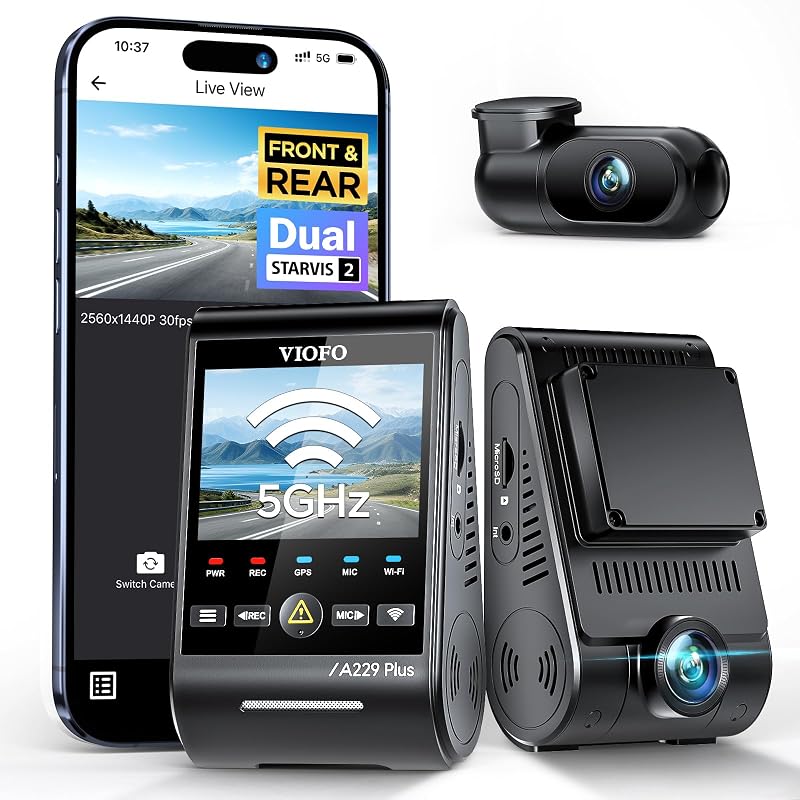
$189-260
The reference-grade front+rear crash-protection setup reviewers keep crowning best-overall.
Affiliate link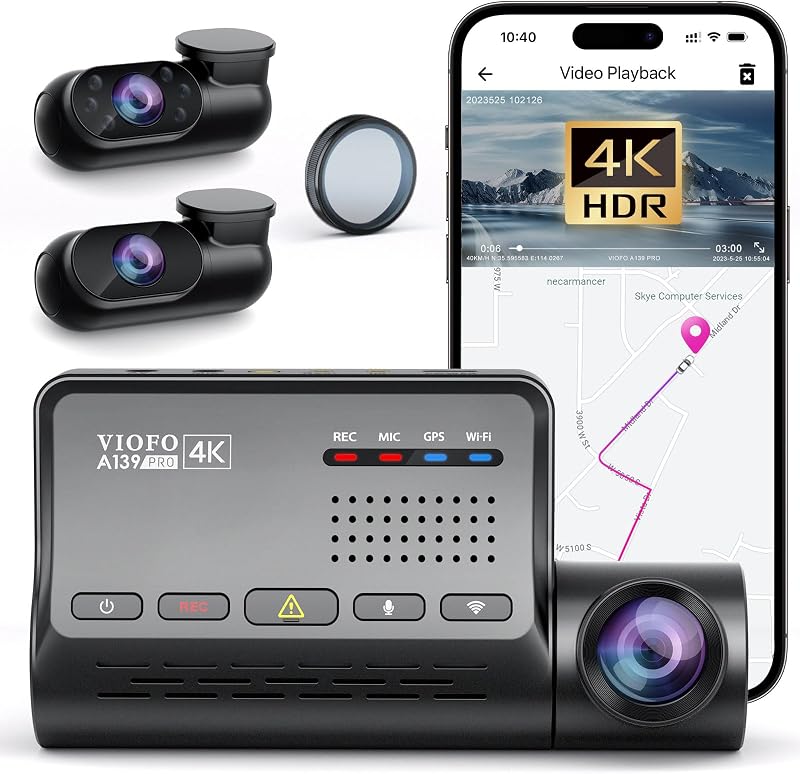
$300-360
Strong total-coverage angle for professional drivers.
Affiliate link
$130-160
Sold as 4K; independent testers put the sensor at 1440p.
Affiliate link$400-600
The aspirational halo of the lineup — a smart guardian that streams live and can call for help on impact.
Affiliate linkFor most drivers, yes. A hardwired dash cam with parking mode covers both driving and parking in one device and is built to read license plates, which is the evidence that settles a claim. A standalone security camera only covers the car while it's in one fixed spot and is tuned to watch a scene, not resolve a plate. The main exception is a car that always parks in one powered location like a driveway — there, a mains security camera can be the better, simpler choice with no battery-drain risk.
It can. Parking mode draws continuously from the 12V starter battery, so it needs a hardwire kit — and that kit should include a low-voltage cut-off that shuts the camera down before the battery is too low to start. A healthy battery is usually fine overnight, but an older battery or a car parked for several days can be pulled below cranking voltage without a cut-off. A dedicated dash-cam battery pack avoids the risk entirely by powering parking mode from its own cell.
Because it's using a motion- or impact-triggered parking mode: the camera sits idle and only starts recording after its sensor fires, so the first moment — often including the plate — is already gone. The fix is buffered (pre-buffered) parking recording, which continuously holds the last several seconds in memory and writes that lead-up into the saved clip, so you capture the approach, the contact, and the getaway as one continuous recording.
Not necessarily — the low-light sensor matters more than the resolution. 1080p often can't hold a plate across a parking aisle, so 2K (1440p) or 4K gives useful margin, but the deciding factor is the sensor: a 1440p camera with a Sony STARVIS 2 sensor frequently reads a night plate better than a cheaper '4K' cam with an unnamed sensor that smears under lot glare. Buy the sensor first and the megapixels second.
The camera loop-records, overwriting the oldest footage first, so a full card can record over an overnight incident before you get back. Use a high-endurance microSD card sized large for the way parking clips accumulate, and prefer a parking mode that saves only triggered events rather than recording continuously, so the card holds many more days of real incidents.
Probably not for the parking side. A locked garage already contains the parked-car risk that most people buy parking mode to solve, so you'd be paying for a hardwire kit and battery-drain management to guard a car nothing can reach. A plain dash cam still makes sense for the driving risk if you want one, but you can skip parking mode.
Research-driven: our picks come from verified manufacturer specs and long-term owner feedback. How we work: our methodology.
The car, power, cooling, and work-utility gear worth owning — with the honest catch on each. One genuinely useful email a week. No spam, no fake reviews, unsubscribe anytime.